
Bluehost AI Builder Review: Features, Pricing & Is It Worth It?
An in-depth look at Bluehost AI Builder, exploring how it helps beginners and small businesses create websites and web apps using AI, its pricing, features, limitations, and overall value.

Overall rating
Ratings breakdown
Bluehost AI Builder Review: Features, Pricing & Is It Worth It?
Creating a website used to involve choosing a hosting provider, setting up a content management system, selecting a design, and spending hours getting everything to work together. For someone without technical experience, even launching a simple business website could feel like a complicated project.
AI website builders are changing that experience, and Bluehost is bringing its own solution to this space with Bluehost AI Builder.
Instead of starting with a blank page or manually arranging every section, you can describe the website or web application you want to create and let AI help build the initial version. You can then refine the result through conversations, add your branding, and prepare it for publishing.
But is it actually useful for building a real business website? What features does it offer, how does its pricing work, and is it worth considering over other website-building options?
In this review, we'll explore Bluehost AI Builder, its main capabilities, pricing structure, advantages, limitations, and the types of users who may benefit most from it.
What Is Bluehost AI Builder?
Bluehost AI Builder is an AI-powered website and web application creation platform designed to make launching an online presence easier.
Its main idea is straightforward: explain what you want to build in everyday language, provide relevant business details or visual references, and let the AI generate a starting point for your project.
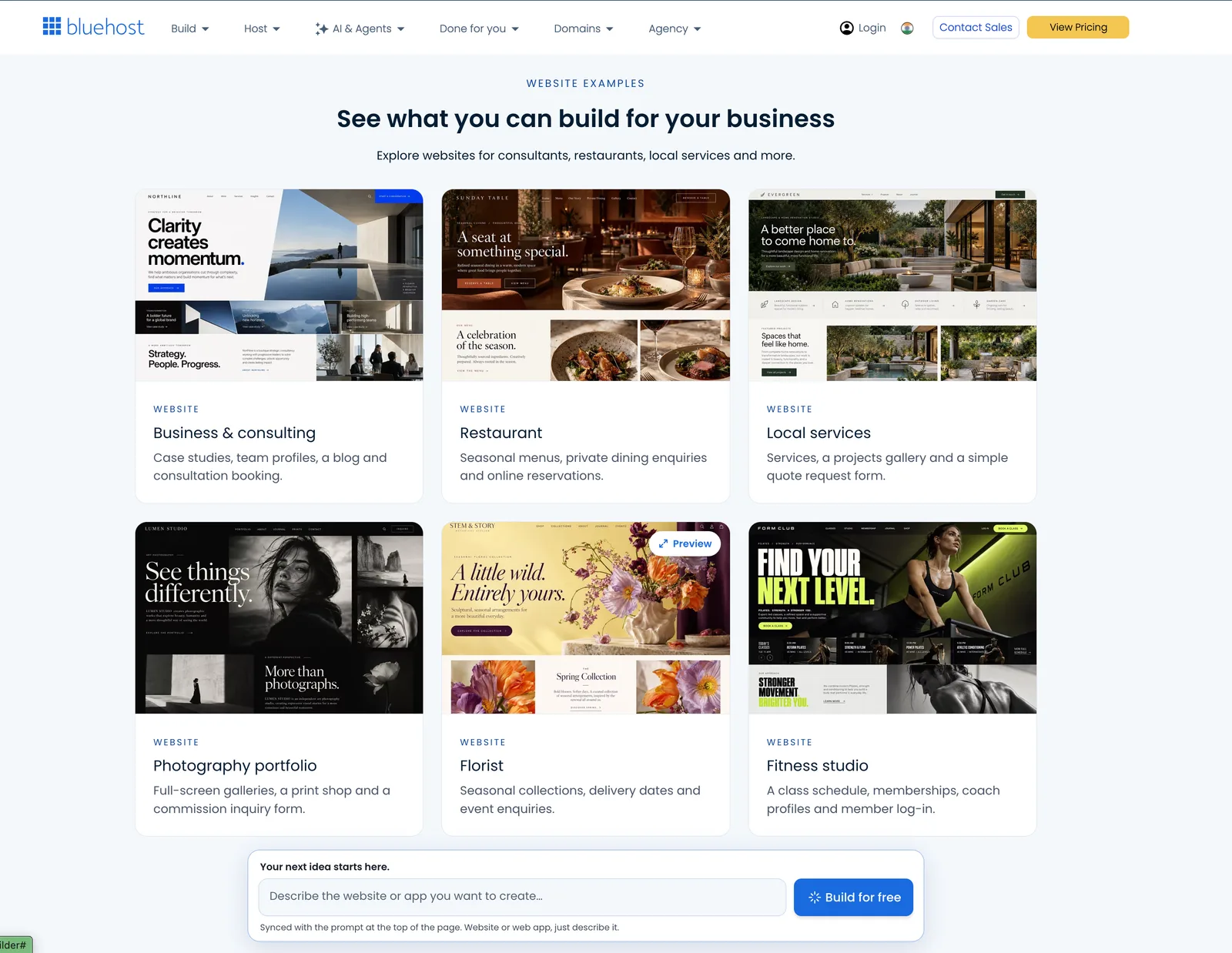
For example, imagine you're opening a small fitness studio. Instead of designing every page yourself, you could describe your business and ask the builder to create a website with class information, trainer profiles, contact details, and a booking experience.
The platform can help create both traditional websites and more functional web applications.
Some examples include:
- Business websites for small companies and local services.
- Personal portfolios and landing pages.
- Blogs and informational websites.
- Booking websites and appointment systems.
- Customer portals and directories.
- Quote request forms and internal business tools.
One interesting aspect is that you don't necessarily have to stop at a basic website. You can start with a website and later request additional functionality, such as booking forms or a customer portal.
For beginners, this can make the process of getting an idea online considerably less intimidating.
How Does Bluehost AI Builder Work?
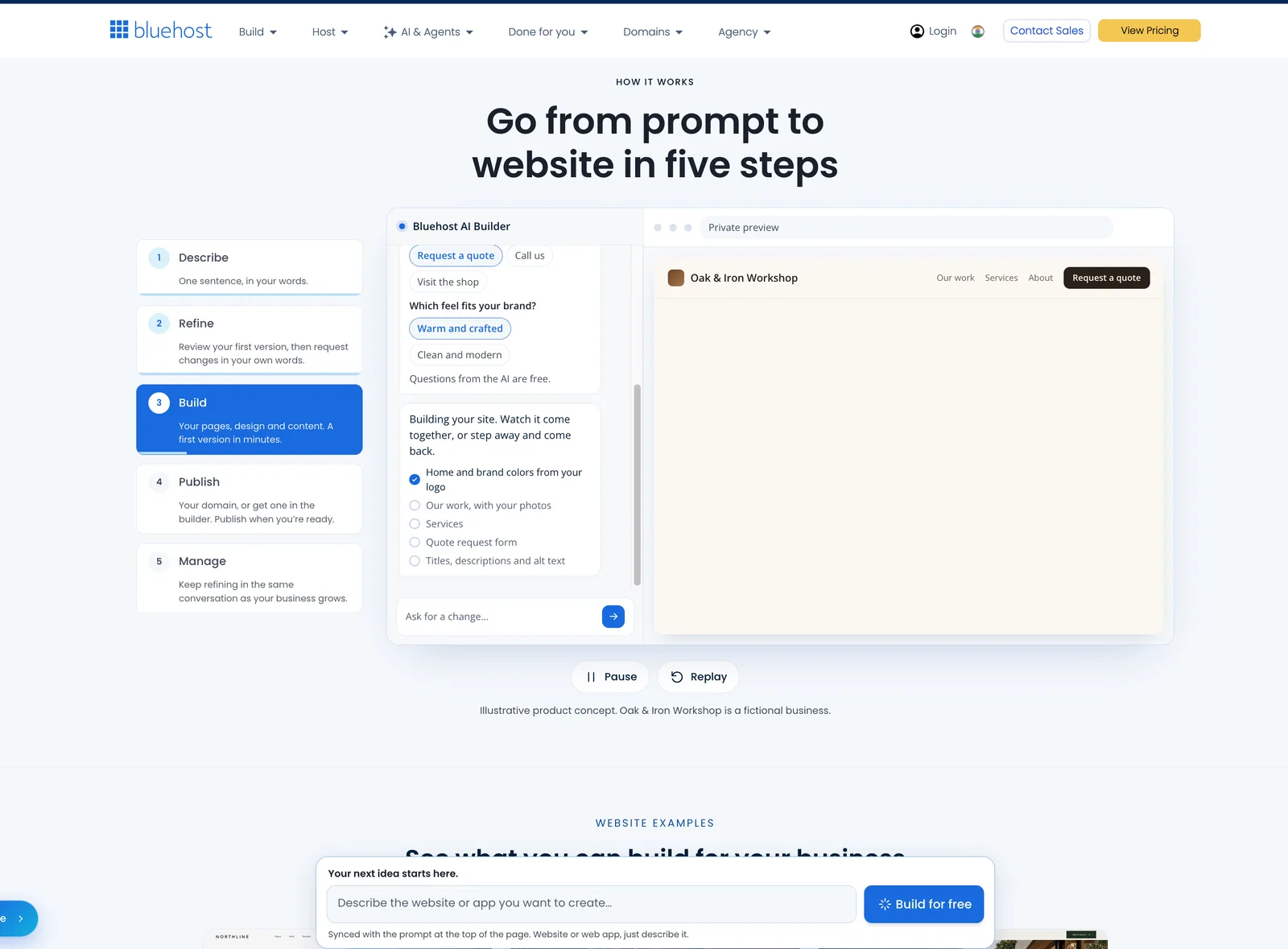
The platform follows a conversational approach rather than requiring you to begin with a complicated website editor.
Here's what the general process looks like.
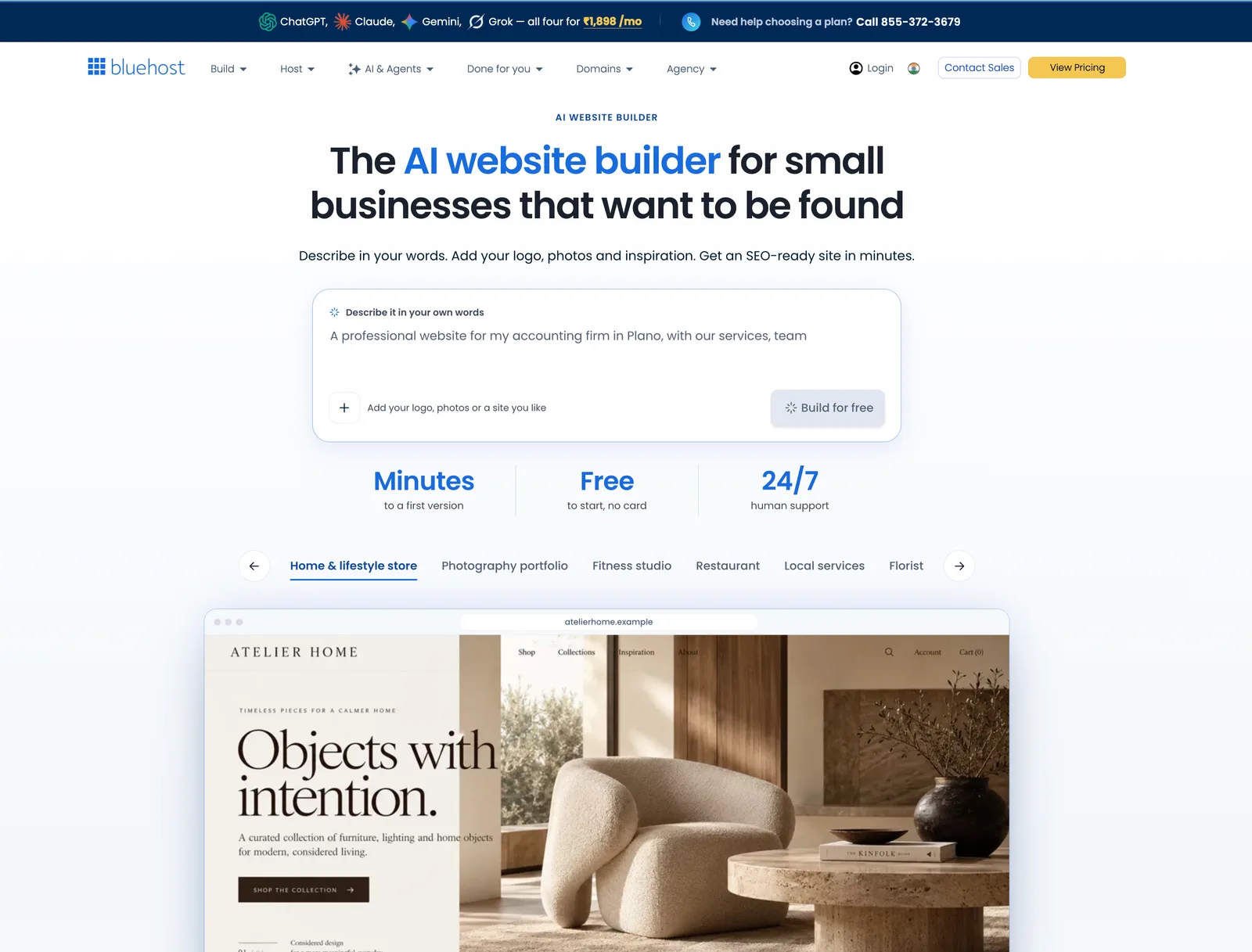
1. Describe Your Website or App
Start by explaining the type of website or application you want.
You can provide details about your business, its purpose, target audience, and the features you need.
For example:
"I run a photography business and need a website to showcase my work, display photography packages, and allow potential customers to request bookings."
The more specific your description, the better the initial direction can be.
2. Add Your Branding and Inspiration
You can provide your own logo, photographs, and even a reference website that you like.
This gives the AI additional context about the visual direction you want.
If you prefer a minimal design, a particular colour palette, or a specific layout style, you can explain those preferences instead of relying entirely on a generic template.
3. Let AI Generate the First Version
Once you provide the necessary information, Bluehost AI Builder starts generating your website or application.
You can watch the building process and review the initial result.
Depending on your requirements, the generated website may include pages, sections, forms, and other relevant elements.
4. Refine It Through Conversations
This is where the conversational approach becomes particularly useful.
Rather than manually changing every element, you can describe what needs to be different.
For example:
- Change the homepage layout to make it more minimal.
- Add a section explaining our services.
- Create a contact form for customer enquiries.
- Change the website's primary colour.
- Add an appointment booking experience.
You can continue refining the result until it better matches your expectations.
5. Publish Your Website
After reviewing and customizing the generated result, you can publish it through Bluehost.
The free plan supports publishing on a Bluehost subdomain, while connecting your own domain requires a paid plan.
This makes it possible to explore the builder before committing to a paid subscription.
Key Features of Bluehost AI Builder
Let's look at the capabilities that make this platform interesting.
1. AI-Powered Website Creation
The biggest attraction is the ability to generate a website by describing your requirements.
You don't have to begin by choosing a theme or arranging every section manually.
This can be particularly useful for entrepreneurs, freelancers, and small business owners who want to establish an online presence without spending too much time on initial setup.
2. Website and Web App Creation
Bluehost AI Builder isn't limited to conventional websites.
It also supports projects that require more functionality, such as:
- Booking systems.
- Customer portals.
- Quote request applications.
- Business directories.
- Internal tools.
For example, a service business could start with a simple website and later add a booking workflow or a customer enquiry management experience.
Having these capabilities within the same platform is a useful advantage.
3. Conversational Editing
Building the first version is only part of website creation. You'll probably need to make changes as your business evolves.
Bluehost AI Builder allows you to request changes through natural-language instructions.
Instead of navigating through multiple settings for every small adjustment, you can describe the outcome you're looking for.
This approach may be especially helpful for people who aren't familiar with traditional website editors.
4. Your Own Branding and Images
A business website should reflect the identity of the business rather than look like a generic template.
You can provide your logo, images, and visual references to guide the AI during the creation process.
This helps give the generated website more context about your brand and the overall appearance you're aiming for.
5. Built-In Hosting
Another useful aspect is that hosting is included in the AI Builder plans.
You don't need to arrange a separate hosting provider just to get your generated project online.
The platform also provides a unified environment for building, publishing, and managing your website or application.
6. SEO-Friendly Website Structure
Getting a website online is one thing; making it discoverable through search engines is another.
Bluehost AI Builder provides search-friendly page content along with elements such as page titles, descriptions, and image alt text.
These elements can help establish a better starting point for on-page SEO.
However, it's important to understand that having SEO-ready pages does not guarantee Google rankings or organic traffic. Keyword research, useful content, website performance, and ongoing optimization still matter.
7. 24/7 Human Support
Getting stuck during website creation can be frustrating, especially when you're working on something important for your business.
Bluehost advertises 24/7 assistance from its support team.
Having access to human support for questions involving hosting, domains, and website management can be useful for people who aren't comfortable troubleshooting technical issues themselves.
Bluehost AI Builder Pricing and Plans
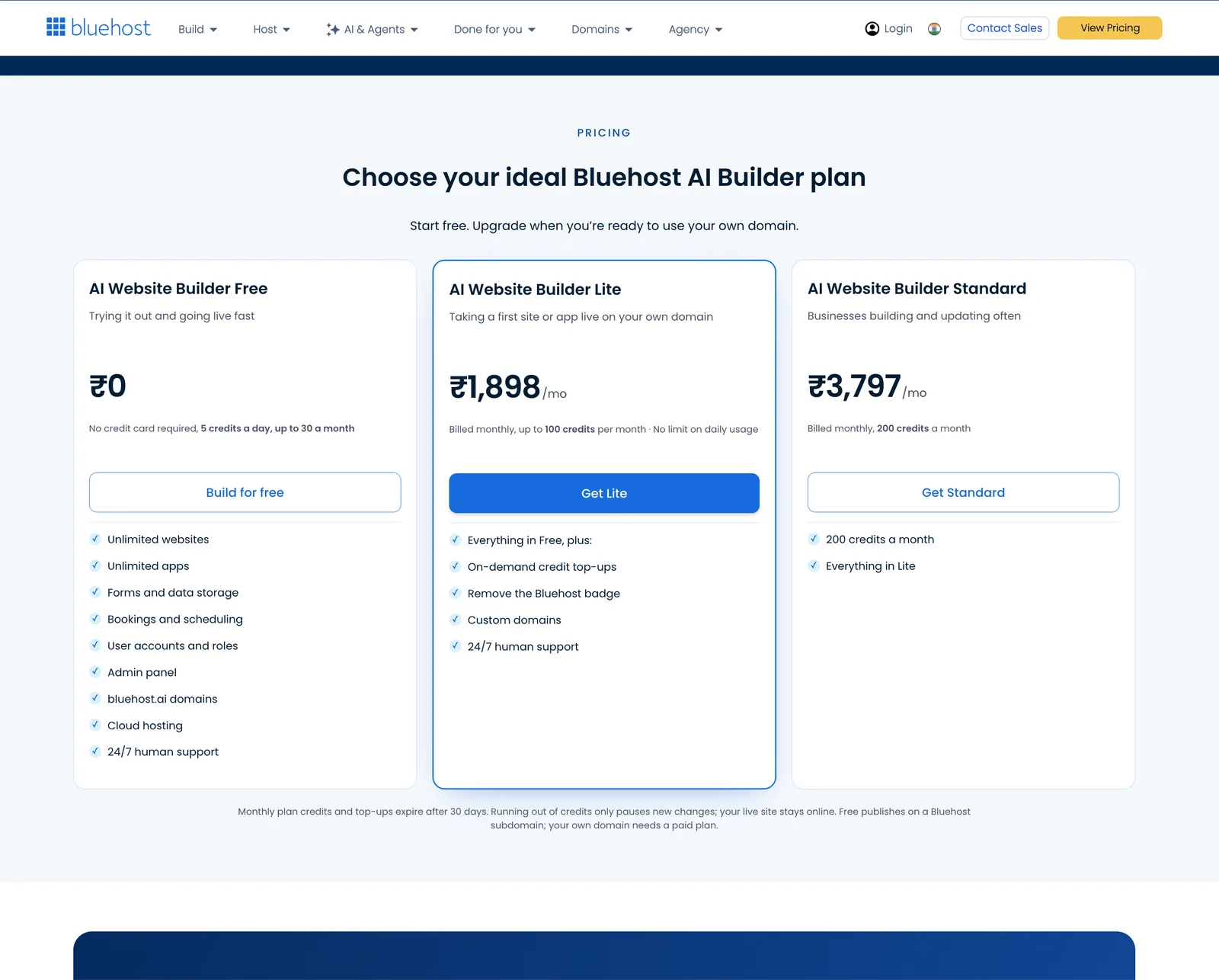
One of the more interesting aspects of Bluehost AI Builder is that you can get started without immediately purchasing a subscription.
It offers a free plan alongside paid options with different monthly AI credit allowances.
Here's the pricing currently displayed on Bluehost's AI Builder website for its US plans:
Plan | Monthly price | Monthly credits |
|---|---|---|
AI Builder Free | $0 | Up to 30 |
AI Builder Lite | $20 | 100 |
AI Builder Standard | $40 | 200 |
AI Builder Pro | $80 | 400 |
Prices are in USD. Check Bluehost's website for current regional pricing and billing terms before purchasing.
AI Builder Free
The free plan is a convenient way to explore the platform.
It includes:
- Website and web app creation.
- Five credits per day, up to 30 per month.
- Publishing on a Bluehost subdomain.
- 24/7 support.
You don't need to provide a credit card to get started.
This is useful if you want to understand how the builder works before deciding whether to upgrade.
AI Builder Lite
The Lite plan costs $20 per month on the US pricing page.
It includes 100 monthly credits and the ability to connect your own domain.
This may be a reasonable starting point for someone who wants to launch a small business website on a custom domain.
AI Builder Standard
The Standard plan costs $40 per month and includes 200 monthly credits.
It offers twice the monthly credits of the Lite plan.
This could be worth considering if you expect to make regular website changes or work on a more involved project.
AI Builder Pro
The Pro plan costs $80 per month and includes 400 monthly credits.
It's aimed at people managing multiple projects or applications that require more frequent updates.
Understanding the AI Credit System
Before choosing a subscription, it's important to understand how credits work.
Bluehost's current pricing information explains that one message generally uses one credit. Clarifying questions asked by the AI are free.
A few other things worth knowing:
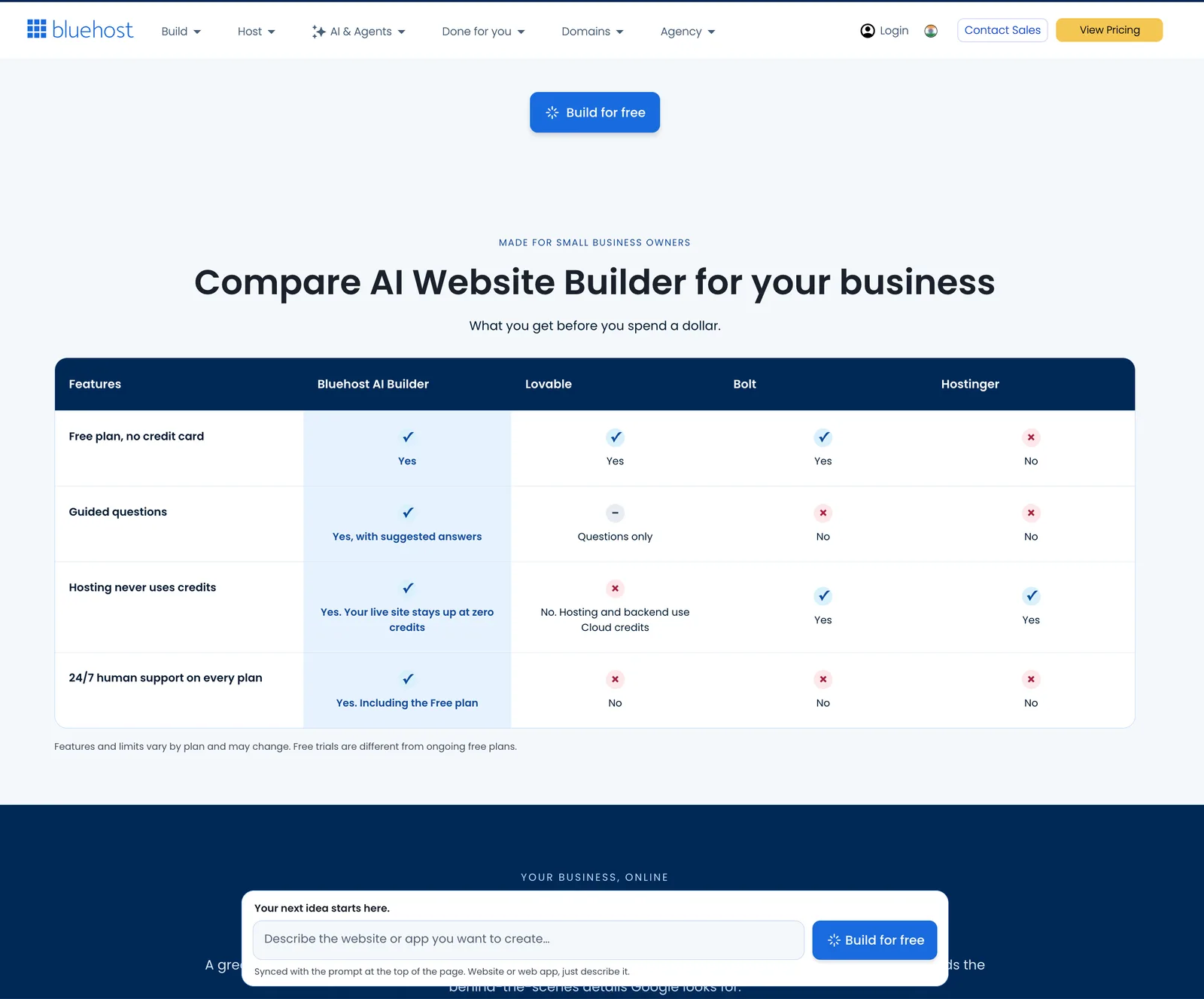
- Hosting does not consume AI credits.
- Monthly credits and purchased top-ups expire after 30 days.
- Running out of credits pauses new changes, but your published website remains online.
- You can purchase additional credits when needed.
If you plan to use the platform regularly, estimating your expected monthly editing requirements can help you select the right plan.
Pros and Cons of Bluehost AI Builder
No website builder is suitable for everyone. Here are some of the main advantages and limitations worth considering.
Pros
- Beginner-friendly approach: You can describe your requirements without needing to understand traditional web development.
- Website and application support: It can handle more than basic informational websites.
- Conversational editing: You can request changes using everyday language.
- Free starting option: You can explore the platform without providing a credit card.
- Hosting included: You don't have to purchase separate hosting for the generated project.
- Custom branding: You can provide your own logo, images, and design references.
- Human support: Bluehost advertises 24/7 assistance.
Cons
- Credit limitations: More frequent changes require additional credits or a higher-tier plan.
- Custom domain requires a paid plan: The free plan uses a Bluehost subdomain.
- Not a replacement for every development workflow: Complex applications with highly specialized technical requirements may need a conventional development approach.
- Additional costs: Domain registration, renewals, and optional services should be checked separately.
- AI output needs review: Generated text, layouts, and functionality should be checked before publishing.
Overall, the platform prioritizes convenience and faster creation. However, people who need complete control over every technical detail may prefer a traditional development environment.
Who Should Use Bluehost AI Builder?
Bluehost AI Builder is likely to be most useful for people who want to launch a website or application without managing the technical side of development.
Here are some examples.
Small Business Owners
If you run a local business, consultancy, fitness studio, or service company, you can use the builder to establish an online presence and provide visitors with essential business information.
Freelancers and Creators
Photographers, designers, consultants, and independent professionals can use it to create portfolios and showcase their services.
Entrepreneurs
If you have a business idea and want to explore an initial website or web application, the AI-powered approach can help you get started without hiring a developer immediately.
Non-Technical Users
People who have never worked with website builders may appreciate being able to explain their requirements instead of learning an entirely new editing system.
Small Teams
Businesses that need booking workflows, customer portals, enquiry forms, or internal tools may find the website and web app capabilities useful.
Is Bluehost AI Builder Worth It?
Whether Bluehost AI Builder is worth considering depends on what you're trying to build.
If your goal is to create a business website, portfolio, landing page, or relatively straightforward web application without dealing with code, it offers an interesting combination of AI-powered creation, conversational editing, and hosting.
The free plan is particularly useful because you can explore the platform before spending money.
However, I'd recommend looking carefully at the credit allowances before selecting a paid subscription. If you expect to make frequent changes, a plan with more monthly credits may be more practical.
It's also worth remembering that AI-generated websites still need human review. Check the accuracy of the content, test forms and other functionality, and make sure the website represents your business correctly before publishing.
For someone who values convenience and wants to get an online project started without handling the technical setup, Bluehost AI Builder is worth exploring.
You can visit the official website and try the free option to see whether its approach works for your requirements.
Ready to get started?
Final Verdict
Bluehost AI Builder makes website creation more approachable by allowing people to describe what they want instead of starting with a blank editor.
Its support for both websites and web applications, combined with built-in hosting and conversational editing, makes it an interesting option for small businesses, freelancers, and entrepreneurs.
The free starting plan is a good way to explore its capabilities, while the paid plans offer additional credits and custom domain support.
It's not necessarily the right solution for every project, particularly applications that require extensive custom development. But if your priority is getting a website or straightforward web application online without dealing with the usual technical setup, it's certainly worth a closer look.
Start exploring Bluehost AI Builder: Visit Bluehost AI Builder
Pricing and features may change. Always refer to Bluehost's official website for the latest plan details and terms.
Frequently Asked Questions
Sachin Jangid
Staff Writer


Discussion