
How to Build a Self Drive Car Rental Website in India (Free & Paid Methods, AI Tools, Templates + Ranking Tips)
Learn how to build a self drive car rental website in India using free templates, paid platforms, and AI tools. Complete guide with requirements, license info, costs, pros & cons.

India's self-drive car rental market is growing fast. According to industry estimates, the Indian car rental market is expected to cross USD 2.5 billion by 2027, and self-drive rentals are the fastest-growing segment — thanks to platforms like Zoomcar, Revv, and MyChoize proving that people love driving themselves without a chauffeur.
you own a few cars, or you're planning to start a rental business in your city, the biggest question is: how do you build a self drive car rental website that actually brings bookings?
In this guide, we'll walk you through everything — free methods, paid methods, AI-powered website building, legal requirements, license details, and how to rank your website on Google.
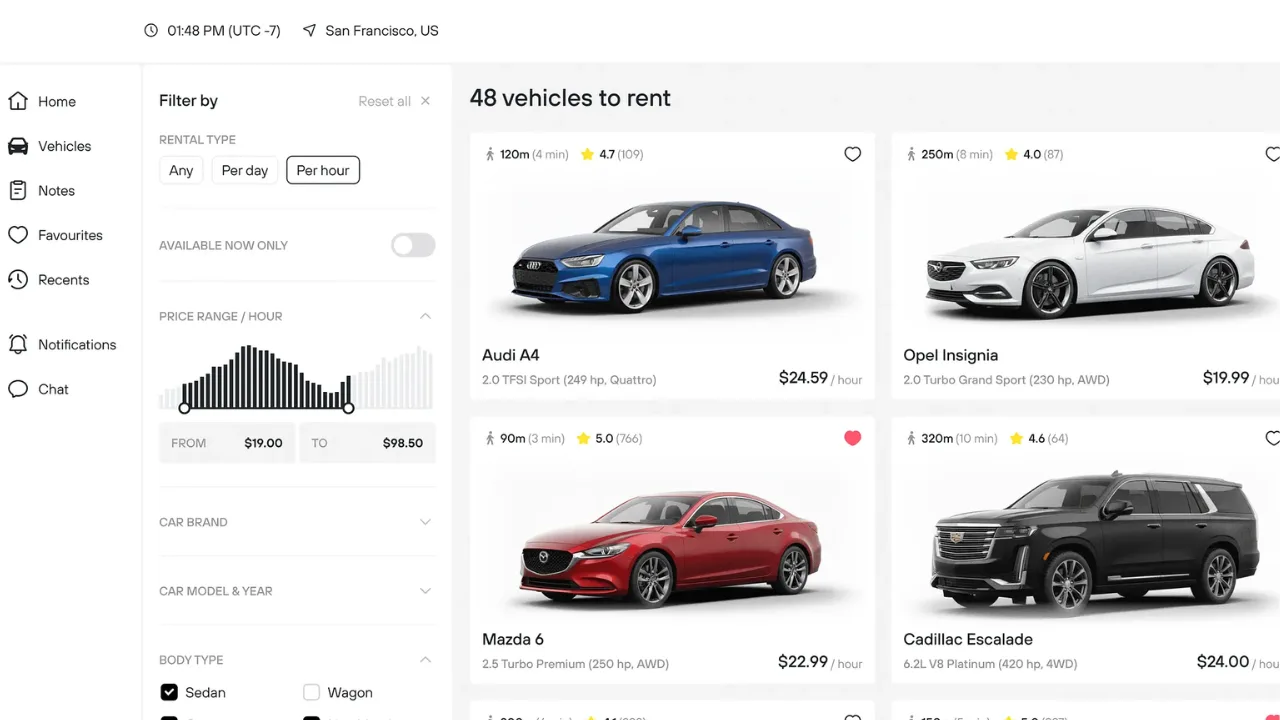
Why You Need a Website (Not Just JustDial or Instagram)
Many small rental owners in India rely only on Google Business listings, JustDial, or WhatsApp. That works — but it has a ceiling.
A dedicated website gives you:
- 24/7 online bookings without answering calls at midnight
- Trust — customers hesitate to pay advance to a random WhatsApp number
- Google rankings for searches like "self drive car rental in Jaipur"
- Your own brand, instead of paying 20–30% commission to aggregators
💡 Fact: Over 70% of travel and rental bookings in India now start with a Google search. If your website isn't there, your competitor's is.
Types of Car Rental Websites You Can Build
Before choosing a method, decide what type of website fits your budget and stage:
1. Basic Brochure Website — Shows your fleet, prices, and a contact/enquiry form. Bookings happen on call or WhatsApp. Cheapest to build, good for starting out.
2. Booking-Enabled Website — Customers select a car, choose dates, and pay online (Razorpay/PayU integration). This is the sweet spot for most Indian rental businesses.
3. Full Marketplace / Aggregator — Multiple car owners list their vehicles on your platform (like Zoomcar's host model). Expensive to develop, needs custom software.
4. App + Website Combo — For scaling across cities. Usually the last stage, not the first.
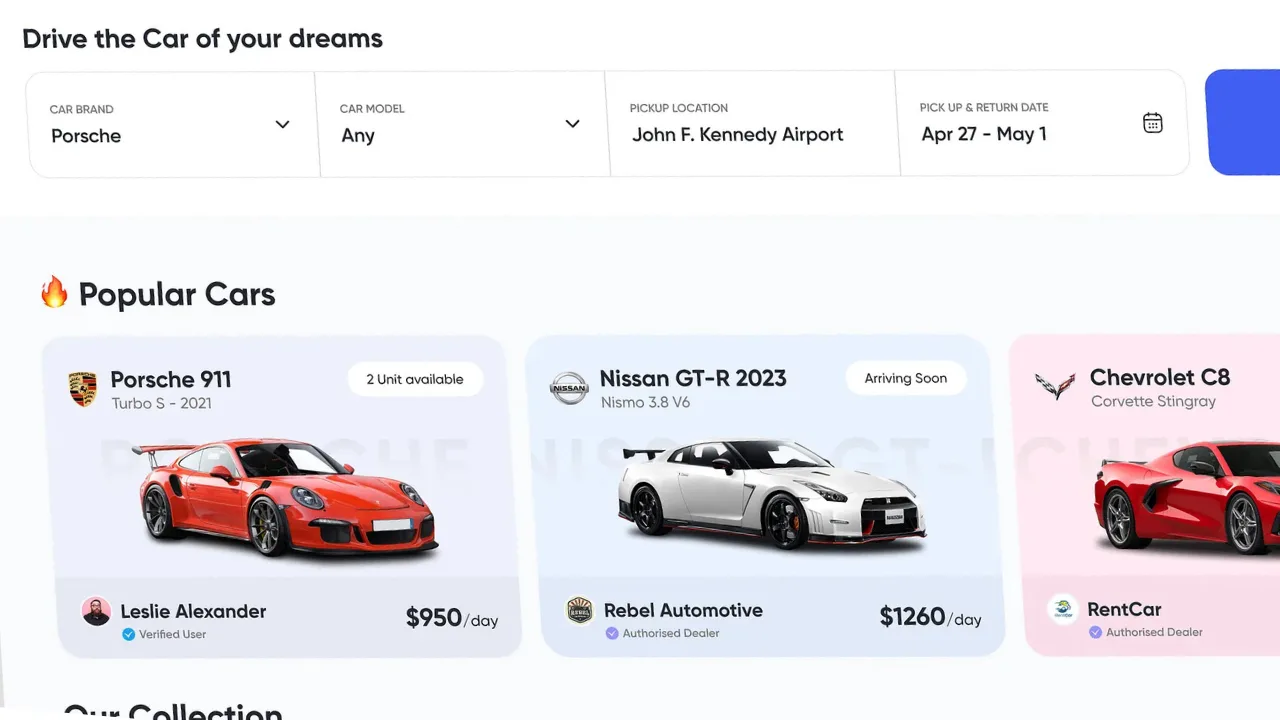
Free vs Paid: Which Way Should You Go?
Factor | Free Method | Paid Method |
|---|---|---|
Cost | ₹0 – ₹2,000/year (domain only) | ₹15,000 – ₹2,00,000+ |
Time to launch | 1–3 days | 1–4 weeks |
Online payments | Limited / manual | Full integration |
Custom design | Restricted | Fully customizable |
Scalability | Low | High |
Best for | Testing the idea | Serious business |
Our honest advice: Start free or low-cost, validate demand in your city, then reinvest in a paid setup once bookings flow in.
Method 1: Build a Car Rental Website for Free
Yes, it's genuinely possible to launch with almost zero investment. Here's how:
Option A: WordPress + Free Car Rental Template
- Buy a domain (₹500–₹800/year for a .in or .com)
- Get hosting — [Internal link: ArdentSupport's affordable hosting plans start at a price lower than your monthly chai budget → link to /hosting]
- Install WordPress (one-click on most hosting panels)
- Install a free car rental website template like Car Rental by ThemeHunk, Rentaly, or Astra with a car rental starter template
- Add a booking plugin — WP Booking System, Bookly (free tier), or MotoPress Hotel Booking (works well for rentals too)
Option B: Free Website Builders
Google Sites, Wix Free, or Carrd can host a basic brochure site. The catch: you get a subdomain like yourbusiness.wixsite.com, which looks unprofessional and ranks poorly.
Limitations of the Free Route
- Free templates look generic — customers can tell
- Payment gateway setup is clunky or manual
- Free hosting = slow loading = lost bookings (53% of mobile users leave a site that takes more than 3 seconds to load — Google research)
Method 2: Paid Methods (Recommended for Serious Businesses)
Option A: Premium WordPress Template (₹3,000 – ₹8,000)
Templates like Rentaly, Cardo, or Renax on ThemeForest come with built-in booking calendars, fleet management, and mobile-responsive UI. Pair it with reliable hosting and you have a professional site in under a week.
Option B: Ready-Made Car Rental Scripts (₹15,000 – ₹50,000)
Pre-built PHP/Laravel scripts with admin panels, KYC upload, payment gateways, and GPS integration. Faster than custom development, cheaper than agencies.
Option C: Custom Development (₹50,000 – ₹2,00,000+)
Hire an agency to build exactly what you want — custom booking flow, driver verification, security deposit handling, per-km pricing logic. This is where most successful multi-city rental startups end up.
Need a custom-built rental website? Check our web development services → contact ArdentSupport
Method 3: Build a Car Rental Website Using AI (The 2026 Way)
This is the newest and honestly the most exciting route. AI website builders have made it possible to go from idea to live website in a few hours.
How to Do It, Step by Step
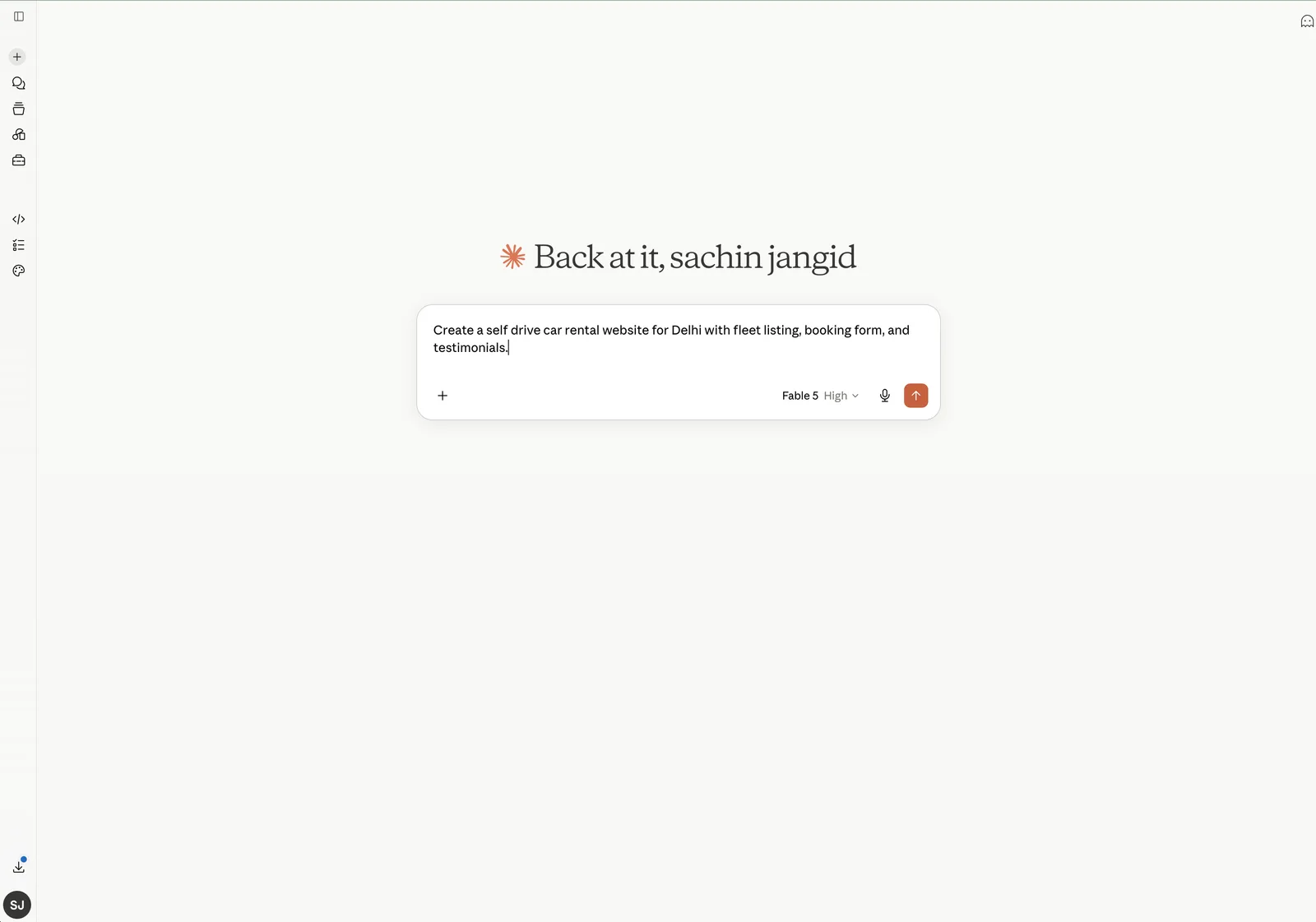
- Generate the design with AI — Tools like Framer AI, Hostinger AI Builder, Wix ADI, or 10Web can generate a full car rental layout from a simple prompt like: "Create a self drive car rental website for Delhi with fleet listing, booking form, and testimonials."
- Write content with AI — Use ChatGPT or Claude to draft your city pages ("Self drive car rental in Gurgaon"), FAQs, and terms & conditions. Always edit for accuracy — AI won't know your actual security deposit amount.
- Generate car images and banners — AI image tools can create hero banners, though real photos of your actual cars always convert better. Customers want to see the exact Swift or Creta they'll drive.
- Add booking logic — AI builders handle design, but for real-time availability and payments, you'll still connect a booking plugin or a tool like Booqable or HQ Rental Software.
Pros of the AI Route
- Live in a day, not weeks
- Design quality is surprisingly good
- Costs ₹1,000–₹3,000/month typically
Cons of the AI Route
- Monthly subscription forever (you don't "own" the code on most platforms)
- Limited for complex features like KYC verification or per-km billing
- Migrating away later can be painful
Legal Requirements: Self-Drive Car Rental License in India
This is the part most guides skip — and the part that can shut your business down if ignored.
To legally rent out self-drive cars in India, you need:
1. Rent-a-Cab Scheme License (1989) — Under the Motor Vehicles Act, you must register under the Rent a Cab Scheme, 1989 with your State Transport Authority (RTO). You can apply for the self-drive car rental license online in many states through the Parivahan portal or your state transport website. Requirements typically include a minimum fleet (varies by state, often 5–50 cars), office premises proof, and parking space.
2. Commercial Registration of Vehicles — Cars must have black-on-yellow number plates (commercial registration). Renting out a white-plate private car is illegal and voids insurance.
3. Commercial Insurance — Comprehensive commercial insurance covering third-party liability and self-drive use.
4. GST Registration — Car rental services attract GST (currently 18% with ITC or 5% without, for renting of motor vehicles — confirm the latest slab with your CA).
5. Customer KYC Process — Verify driving license and government ID before handing over keys. Your website should have a DL upload feature.
Disclaimer: License rules vary by state and change over time. Always verify current requirements with your local RTO before launching.
Must-Have Features (UI Design That Converts)
Whatever method you choose, these elements separate a booking machine from a digital brochure:
- Search widget above the fold — City, pick-up date/time, drop date/time. This is the first thing visitors should see.
- Fleet cards with real photos — Car name, transmission type, fuel type, seats, price per day, and km limit clearly visible.
- Transparent pricing — Show security deposit, extra km charges, and fuel policy upfront. Hidden charges are the #1 complaint in this industry.
- WhatsApp click-to-chat button — Indian customers love confirming on WhatsApp before paying.
- Google Reviews embed — Social proof directly on the homepage.
- Mobile-first design — 80%+ of your traffic will be mobile.
Don't Forget Hosting (Your Website's Foundation)
A car rental website with a booking system, image-heavy fleet pages, and payment gateway needs fast, reliable hosting. Cheap shared hosting that crashes during weekend booking rushes will cost you real money.
Look for hosting with:
- Indian or nearby data centers (faster load times for Indian users)
- Free SSL (mandatory for payment gateways)
- Daily backups
- 99.9% uptime guarantee
How to Rank Your Car Rental Website on Google
Building the site is half the job. Here's how to actually get found:
1. Target city + intent keywords — Create separate pages for "self drive car rental in [your city]", "car rental near [airport/railway station]", and "monthly car rental [city]".
2. Google Business Profile — Claim it, add real photos of your cars, and collect reviews aggressively. Local pack rankings drive massive rental traffic.
3. Write helpful blog content — Topics like "Documents required for self drive car rental in India" or "Zoomcar vs local rental: which is cheaper?" attract customers early in their research.
4. Get local backlinks — Tie-ups with hotels, travel bloggers, and city guides.
5. Page speed & Core Web Vitals — Compress car images (WebP format), use caching, and choose good hosting.
6. Schema markup — Add LocalBusiness and Product schema so Google shows your prices and ratings in search results.
Pros and Cons: Quick Recap
Pros of building your own rental website:
- Zero commission to aggregators
- Full control over pricing, branding, and customer data
- Compounding SEO value — rankings improve over time
- Direct repeat bookings via your own platform
Cons:
- Upfront effort and some investment
- You handle marketing yourself initially
- Legal compliance (licenses, commercial plates) is on you
- Ongoing maintenance and hosting costs
Final Verdict
If you're testing the waters, start with a free WordPress template + budget hosting — you can be live this weekend. If you're serious about scaling, invest in a premium template or custom-built booking website, and use AI tools to speed up content and design work.
Either way, don't skip the legal side (commercial registration + Rent-a-Cab license), and don't compromise on hosting — a slow website during peak season is bookings handed to your competitor.
Ready to launch your self drive car rental website? Talk to our team at ArdentSupport for hosting, design, and development — everything under one roof. [Contact us → /contact]
Frequently Asked Questions
Sachin Jangid
Staff Writer


Discussion